Thursday, February 7, 2013

Post-processing in games


Post-Processed is good for you


Nowadays game titles use all types and forms of post-processing in their video games. From bloom to blur and lens flare, there's a lot that can be done to improve the look of a game with the help of some nifty light manipulation tools and a strong graphics card that can be used efficiently. It is quite fascinating how many of these ideas come about and how game studios choose to implement them within their own game effectively. There are, of course, those who aren't the type to enjoy all the added effects and filters that the game has gone through before you see it which is why nowadays games usually come with the option of turning down or even turning off these graphical settings. Some people prefer to play games the way they were originally made with no over-drawn effects blocking their experience while others like all the shininess and polished environments game makers strive to deliver. Either ways, there is a right and a wrong way of using post-processing and many arguments on either side of the table.

This blog intends to demonstrate what the pros and cons are to post-processing while mentioning some big name titles and how they got it right. We will discuss the various things one can do with a graphics card and how efficient it is to post-process depending on the requirements your PC/graphics card meets. A quick google search manages to turns up hundreds of links to forums where post-processing (especially HDR and bloom) is discussed extensively along with varying opinions on whether or not it needs to be present in video games. 


Effect and Affect

Today video games use all variations of visual effects applied to their scenes after they are rendered by the game engine. Sometimes developers intend to create a particular look or draw the player's attention to certain finer details in an attempt to enhance their gameplay mechanics. However, improvements in graphics rendering technology often result in particular effects being overused excessively. But more on this later, for now, let's talk about a few of the more popular post-processing video effects and give some practical examples. 


Lens Flare

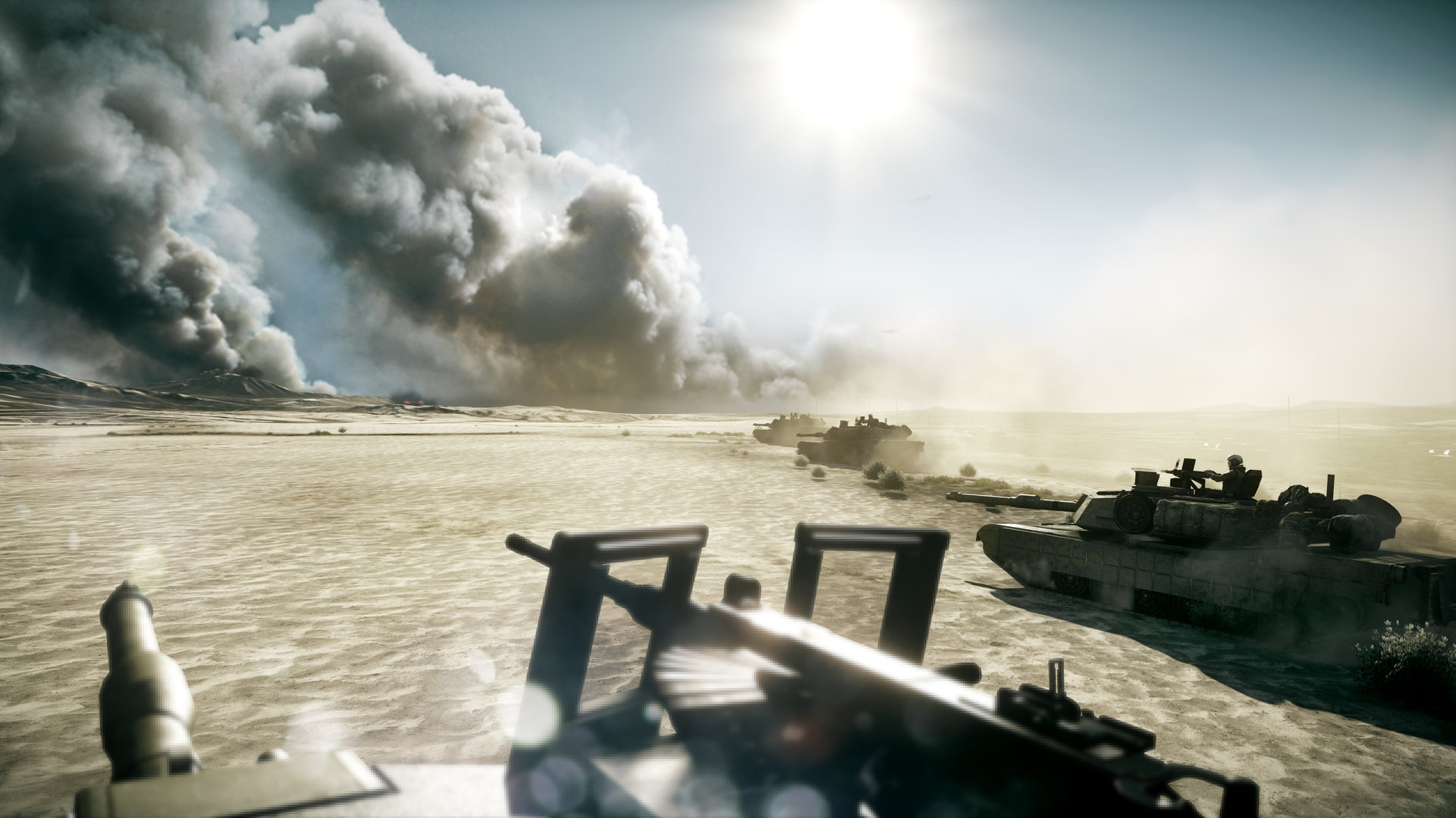
Lens Flare occurs when a bright object (usually the sun or a light source) is in the shot. The bright light causes glare off every piece of glass as it passes through on the way to the film or optical receiver. This causes the little ghostly chain of circles on an imaginary line from the object through the center of the frame. While some people feel that lens flare is overused in games, others feel that getting rid of it will cause the Coconut Effect. The Coconut Effect is when an unrealistic visual effect resonates with an audience so much so that its absence would be detrimental to the audience's experience. 


Film Grain


Film grain adds a certain amount of graininess to the displayed image in order to evoke the look of an older film. This effect is usually in place within the background environment of a video game and isn't always noticeable. The image above does contain film grain but is not all too noticeable unless seen up close. 


Bloom

The bloom effect produces fringes of light around very bright objects in the scene. This effect is one of the most popular in games nowadays and is possibly the most blatant visual effect. Some people enjoy the bloom effect while others prefer to turn it down a great amount because they believe it doesn't do visual justice to detailed game assets. 


Tone Mapping

Tone mapping is the remapping of on-screen colours into a specific palette to create a unique effect. Games such as Mad World use a monochromatic filter which turns the display black and white. There is also a sepia filter which adds a brown tint to the display in order to simulate the look of an old film. This is often used in flashbacks or dreams within games. Some games choose to use more vivid colours or something esoteric to draw attention to areas of the game. 


Cel Shading

Cel shading is a style of computer rendering that imitates the look of hand-drawn artwork and animation. It effectively replaces the shading gradients of conventional rendering with flat colours and shadows shadows based on an artist-specified palette. Cel shading applies to the way the lighting is rendered and can be as realistically-proportioned and textured as any hand-drawing. 


Motion Blur

One of my least favorite post-processing effects, motion blur gives the illusion of an object moving faster than it really is. This way, it helps disguise screen tearing and low frame rates. In some way, it also makes the game look like it's being filmed with a camera. 


Depth of Field

Depth of field is a far more visually apparent effect where near or far objects blur away depending on the camera's focus. It uses a depth map  and is highly effective in concentrating the player's attention to one or more important areas in the scene.


Gaussian Blur

Often most apparent in video game cutscenes, the Gaussian Blur filter can be applied to distant objects to disguise object pop-in. It can also be applied to edges as a form of anti-aliasing. Gaussian blur could even be overlaid on top of an original frame to simulate bloom. 


Vginetting

Vignetting is the process of reducing brightness or saturation of the corners of the screen while emphasizing and drawing interest to the center of the image. Interestingly enough, vignetting is beginning to replace bloom as the most common game effect.


Summary

Let's now take a look at a really neat video that summarizes some of the more popular post-processing effects and how they look when practically implemented into video games. 


All the preceding post-processing effects are part of high dynamic range rendering (HDR Rendering) which takes place in most best-selling games out now. Post-processing is an important piece in fine-tuning visual effects to enhance the player's experience. In addition, most games use these effects to cover up blotches or mistakes in their rendering. Some game companies manage to do this effectively, while others don't approach it in the right light and end up creating more of a visual headache for players than improving their visual experience. Let's take a look at whose got it right and how.


Up the Wazoo!

A lot of gamers believe that post processing is being taken to an unnecessary extent and has been overused in many games nowadays. As mentioned earlier, this is the reason why gaming companies are now allowing their customers to adjust their post-processing effects to maximize performance or just for their games to be easier on the eyes. It is not that graphic designers use there methods throughout their games, but even a poorly executed cutscene with overused post-processing effects can ruin a player's experience. These effects are unique and fun in small doses but can get quite annoying and even take away from the gameplay at times.


A little while ago, some spare time found me immersed in F.E.A.R Project Origin which has several post-processing effects applied including bloom and motion blur to name a few. I enjoyed the story and was impressed with the gameplay but the motion blurring simply took a lot away from my experience. I would have to give my eyes frequent breaks just to readjust my focus and prevent headaches. Luckily, there are external programs and ways to turn of the motion blurring which helped a lot. The other annoying artifact was the film grain that appeared in an attempt to make the game feel like a movie. I understand this effect but with movies now in 3D and on blu-ray this is hardly relevant. I thought it would be a lot more impressive to show me the bare bones of the graphics and lighting, which at its core is executed very well in F.E.A.R. Project Origin. I thought the bloom was used well though, at times, could be overkill. 

My point behind this bit of a rant was to make it clear that there has to be moderation with post-processing. There are games that use it efficiently and effectively (Far Cry 3 and Battlefield 3) and other games that butcher it. While there is a large margin of opinion when considering the true effect of post-processing on gameplay and graphics, it can safely be said that all good things must be used in moderation. At times an overuse can even be at the cost of visual clarity or a maybe a framerate drop. Other times graphical tricks can leave the game looking less realistic in an attempt to be more life-like. As an example, say there was a game where you could see the player's reflection in a car on a sunny day. In some cases, the car would be a perfect reflection of the world including the player and minute details may be noticed (unlike as in real-life).
Then there are the games that do it right. 


Let's take Left 4 Dead for example. The game world in Left 4 Dead is colour corrected through post-processing and this effect is used within the game deliberately to brighten and saturate things like signs on buildings and lights to areas that you are supposed to visit in order to complete the level. There is a present film grain effect but it is not uniform and is increased or decreased depending on how much light there is where you are. This creates texture where there is non so that you do not have to stare at blackness. It also adds to the game's scare factor which is always a plus. Other effects used well within the game include vignetting and local contrast which are used in such instances as when the player is low on health. When this happens, the level of vignetting is turned up to simulate tunnel vision. To learn more about the visual effects used in Left 4 Dead, go here.

Now, of course, Left 4 Dead isn't the only game to get it right and there exist several developers who spend insane amounts of time on fine-tuning their visual effects to enhance the player's experience. The truth of the matter remains that some get it right and some get it wrong.  

A funny emphasis on games that get it wrong...


In Conclusion

HDR rendering is a fascinating piece of visual design and will continue to improve as graphic processors continue to grow more technically efficient. Post-processing effects can do wonders for games that use them right and even help hide some of the minor (or major) flaws in visual design so that they aren't noticeable. There then remain questions worth thinking about: As games get more and more realistic, is this necessarily a good thing? Do you want to be interactively playing in the real world? Or do you prefer the cartoony and unrealistic look and feel of games with effects such as cel and toon shading? 

Of course there are many answers and each is based on personal opinion, but it is worth considering or even trying to predict what the future of gaming graphics is going to be. 


Thursday, January 31, 2013

The wonderful world of Shadows!


Something Dark this way comes...

So let me begin by stating my intentions with this blog post. Shadows are a fascinating area of computer graphics and to this day remain predominant on game developers' list of attributes to perfect. Playing through several games in my lifetime has given me a clear and concise window into the power of shadows and lighting within a game environment and how important these elements are in the development of an all round great game on any console. It is important to keep in mind here that shadow rendering is limited to the capabilities of the hardware in question. However, while this is an important matter of consideration, it is not the be all and end all as game designers and graphic engineers continue to push the boundaries of consoles in the way they choose to implement dynamic shadow mapping and lighting systems within their games. 

Several notable games that have done shadows right include Killzone 3, InFamous 2, God of War 3 and LittleBigPlanet 2. I will be sampling methods of shadow rendering from a couple of these big titles and describing why they have been so successful in their endeavors. It is most important to  keep in mind that lighting and shadows make a huge difference in the quality of a game and stand to be pillars of game design that developers strive to perfect. 

A lot of the information I'm going to present is taken from a Siggraph Talk in 2012. The slides which accompany the talk can be found here.


Shadow Science & Effect

What is a shadow? In the simplest of terms, shadows are dark projections that appear when light is being blocked by an object, thereby preventing another object to receive the light. In many instances several shadows can be naturally present in a scene or environment. When shadows overlap, they typically form a union and two objects seem to be projected as one due to the overlap artifact. Moving an object closer to the light source causes the object's shadow to be projected larger due to the fact that the object is now blocking more light than before. An important property of shadows is that they rely on the transparency/translucency of the object blocking the light. Simple logic then dictates that the more transparent an object is, the more light passes through it and the fainter the shadow that is projected. Hence, the darkness of a shadow is also directly related to the brightness of the light in the environment. 

Although these facts are very fundamental, I've always felt that it is important to have a foundation of knowledge before moving on to more complex topics further in the blog. 

The importance of shadows in video games is monumental in comprehending the spatial relationships of objects in the game world. Think about a character on the ground as a pose to the same character jumping in the air. His shadow changes based solely on his position relative to the ground and the light source. If we perceive the light source to be, for example, the Sun, then we can say that the character gets minimally closer to the Sun (light source) when he jumps provided the Sun is directly above the character. This causes his shadow to not only seemingly detach from the model but to grow slightly bigger and perhaps get skewed a little further. In some cases, the hardest shadows are those caused by objects placed steadily on a flat plane. In retrospect, a shadow may even be unnoticeable should the light source be directly over the character's head. At least until the character or gets close/farther away from the light source. 


With this mentioned, let us think about the effect of shadows in games. A clear indication of dynamic movement can be created through the use of shadows. This is an important consideration when talking about color palettes. Should a character's boots or clothing happen to be the same color as the ground they are standing upon (a very poor choice in palette on the part of the artist), then it is very possible that physics isn't clear enough without shadows. This is a major problem in our game right now, there is no definitive way of demonstrating our character jumping and it more or less looks like he is crouching and extending his legs without moving. 

Shadows give us a good understanding of the distance the player is from not only the light source but other objects in the environment. Say a boulder is rolling towards the player, it is more likely that the player will see it coming if it has a moving shadow being projected below it. This is especially true of dynamic flying objects in scenes. Often spells or smaller weapons such as daggers and shurikens would be more noticeable from certain perspectives where the shadows are evident. Sometimes dynamic lighting in combination with detailed shadows have the potential to create tension or atmosphere within a game. A simple shadow of blood splatter or a creature running through a ventilation shaft can quickly and easily intensify the mood. For a great example, let's take a look at the following video walkthrough of Dead Space. Here, Isaac walks into a loud room with violently shifting shadows. The lighting along with the horrific sounds are a great example of how shadows can affect a game's atmosphere effectively. 

WARNING: The following video contains graphic violence, profanity and mature themes, viewer discretion is advised. 

*Feel free to skip to 3:18 to see the loud room. 


Shady Games

Now let's move on to the real important and fun stuff, shadows and how they're rendered in games. To begin, let us understand what game developers have to contend with on a daily basis. At 30 frames per second, a frame is allowed roughly 33 ms to render on screen. Splitting that time quotient we see that 13 ms are used to render the geometry and shaders while the post processing takes around 10 ms, leaving 10 ms left for lighting and shadow calculations. The creators of Killzone 3 divide these 10 ms up by dedicating 5 ms on shadow map rendering and 3 ms on physically correct light calculations. This leaves 2 ms for any kind of shadow filtering they choose to implement within the game. Like many games, Killzone 3 uses shadow techniques such as percentage closer filtering, variance shadow maps and cascaded shadow maps. A few special games make use of specific tricks to render their shadows. Take for example Media Molecule and their popular LittleBigPlanet franchise.


These guys make use of all kinds of techniques that seem like complete giberish to me...for now. The creators of LittleBigPlanet decided to take a unique approach to shadows and voxelize their scenes every frame to compute the irradiance volume and use raycasting to render the volumetric shadows and ambient occlusion. This stuff is quite complex, yet, they managed to do it all using PS3 hardware at that! 

Killzone 3, on the other hand remained true to standard shadow rendering practices, managing to run at 720p and 30FPS on the PS3. 


Making use of a deferred renderer and a cascaded shadow map renderer, they were able to have 10 or more shadow casting lights on screen. In addition, they reused single shadow map which allowed their transparent objects to have no shadows. Using SPUs meant the number of objects on screen was generally not a problem with 5000 objects rendered per frame. Keeping it simple, they determined whether each object had a big enough contribution to the shadow (based on the bounding sphere size) and if the size was below a certain threshold, they wouldn't render it into the shadow map, thereby preventing visual glitches. Local lights half the shadow map resolution based on the distance of the light and shadows are faded out fairly aggressively based on either the size or distance of the light. Depth bounds are used, as in most PS3 games, to check during light rendering. 


Besides all this interesting stuff, the team's usage of pre-rendered sunlight shadows is probably the most impressive. They store a number of these pre-rendered shadows in one of the lightmap channels for each object and end up mixing the pre-rendered shadows with real-time ones. Pre-rendered shadows also enable them to quickly skip the pixels that are completely in shade during the sunlight rendering. 

Games such as InFamous 2 use very similar methods for shadow rendering since the shadow mapping techniques used in Killzone 3 are fairly basic. Let's take a look at InFamous' specialized lighting setup for cutscenes. 


The engine designers of InFamous 2, made use of perspective shadow maps aimed at tight boxes around the head for head closeups. Characters and enemies in cutscenes typically use a special 4 light rig: one light casts detailed shadows while 3 lights are non shadowed. The entire setup is rendered as a fullscreen pass and uses depth bounds and stencil tests to limit the effect on the character or enemy. Interiors use another special setup where only the 4 closest spotlights cast shadows. This causes shadows on characters to be much more precise than the ones in the background of the scene. 

Breakthroughs in shadow mapping and lighting can be seen in games like God of War 3 where the Ready At Dawn engine aims for a lot of lights per frame with a high amount of shadows lights. Since most of the lights are static, they implemented a very efficient offline shadow culling process. Games like Far Cry 3 use custom shadow rendering solutions which map well to large open worlds. They use cascaded shadow maps for closer distances and blend to the long range shadows after 40 metres. The interesting part in all this is that the entire world is split into 64 x 64 metre tiles around the player as 144 tiles are loaded at the same time on the console. Long range shadows are stored in a single top-down 768 x 768 shadow map texture with 32 x 32 tiles associated with each sector which stores the sunlight occlusion height. 


Imperfect Shadows

Before I leave to take refuge in my cave...because clearly I AM the night. I want to touch on an interesting concept I stumbled upon while researching shadow mapping for this blog post. I'm talking about the concept of imperfect shadow maps and I feel that it is probably more relevant to game developers in our program, considering it uses clever methods for interactive computations of illumination. 


The Last of Us made exceptional use of imperfect shadow mapping by computing indirect illumination in large and fully dynamic scenes based on approximate visibility queries. Since the high-frequency nature of direct lighting require accurate visibility, indirect illumination takes care of this as it consists of mostly smooth gradations which tend to mask errors due to incorrect visibility. Imperfect shadow maps exploit this by approximating visibility for indirect illumination. Low resolution shadow maps are rendered from a crude point-based representation of the scene. These, in conjunction with with a global illumination algorithm based on virtual lights, enables indirect illumination of dynamic scenes at real-time frame rates. At the end of the day (ahem), imperfect shadow maps are a valid approximation of visibility, which makes the simulation of global illumination considerably faster than using accurate visibility. 

This concept, along with thorough examples, is portrayed within the following video.


Conclusion


Most of this information touches on advanced topics that we may or may not cover as part of the course syllabus in Intermediate Graphics, but it is still fascinating to learn about all these techniques and how award-winning titles use methods we learn on a day-to-day basis. The world of shadows, including shadow mapping and ambient occlusion, is broad and spectacular. It is very interesting and is a world that is constantly expanding as more and more games explore the various avenues and manage to continually push the limits of our gaming consoles to bring us bold and beautiful graphical achievements using complex algorithms and clever tricks to captivate our minds leaving us wondering...how on EARTH do they do that? AND the game manages to run smoothly? SORCERY! 


Sunday, January 20, 2013

Lighting in games...


It's all in the atmosphere

Ever since I picked up Dead Space a few years ago, I knew I was in for the kind of ride that comes once in a lifetime. This game performed in ways I'd never thought possible for games of its genre. It managed to set a dark and ominous tone, a chilling supernatural atmosphere and an action-packed thrilling adventure as the player takes control of Isaac Clarke, an engineer aboard the space shuttle USG Ishimura that finds far more than he and his crew bargained for. The first game in a trilogy, dead space sets the bar for the horror/sci-fi genre of games in the 20th Century.


My name is Isaac Clarke...

Set in the year 2507, Dead Space follows a story that begins at the end of the Earth. Following the complete absorption of all of Earth's natural resources, corporations have moved on to new ways of abstracting vital new resources from stars through a process known as 'Planetcracking.' A leader in this form of abstraction is the USG Ishimura. After a multitude of success in the planetcracking, the Ishimura gets shut down on an alien planet preceding Issac Clarke's boarding of the ship for the purpose of repairing the shuttle. But Isaac bites off more than he can chew and gets trapped in a terrible game of survival as he is forced to fight off alien species that have taken shelter within the Ishimura's former crew whose bodies are now nothing more than hosts for the creatures. As Isaac makes his way from one area of the ship to the next, he must successfully repair the Ishimura with help from Kendra Daniels a technologist who guides the player through the ship's interior. Isaac soon discovers a greater truth involving the Church of Unitology, the Government and a realm of possibilities. 

More information, including the plot of Dead Space can be found here.


Shedding some light...

So let's move on to the real meat of this post, lighting in Dead Space. With a fantastic atmosphere and eerie mood set from the get go, it's easy to see where this game excels at drawing the player's attention and holding it till you jump out of your seat afraid to keep playing. 

"Lighting, right up there with the sound, is one of our key tools of the trade when it comes to getting a really great horror atmosphere."
- Ian Milham, Art Director Dead Space 2


When Dead Space was being developed, EA Games would have just as many people working on the lighting as people working on character design within the game. This is because from day one they believed lighting to be almost like a character, in essence, making sure it had some kind of unique characteristic that draws the attention of the player. The lighting is meant to be a tool in discovering the world of Dead Space and as such is used heavily to either aid or hinder the player throughout their experience. On my first playthough, it was definitely challenging contending with the light because it was new and different and most certainly took me by surprise. In time, however, I learned to get used to flickering, frizzing and fading, furthermore enjoying the unique experience that the game had to offer. 

Light plays as important a role as shadow does as enemies often pop out of areas you may be least expecting or crawl through lighted vents projecting their silhouettes on the wall beside you. Depending on the room the player is currently in, there could be anywhere from 10 to 100 lights that switch between being off and on based on trigger spots all around the room. There are moments when enemies are simply lit by a dangling bulb that swings from left to right causing the alien to be lit only when the light passes over them. Lights are used to highlight areas all over the floor, ceiling and especially on the blood-spattered walls to draw the player's attention or even to distract them while an enemy creeps up from behind. 


One of the most unique effects created in Dead Space is the player's light and how it influences the manner in which the game is played. When the scene or level is being rendered, the environment may be dull and possibly dark and dreary. However, once the player steps in, the light they shine illuminated everything around them depending on where they may be looking. The player chooses to shine their flashlight where they please. Should their light happen to shine down on an alien, they may just find themselves engaged in fierce battle with a species that was previously laying on the floor immobile. 

This concept leads to neat ideas such as the player picking up on hints for progression by shining their light on objects with reflective properties that glean and glimmer in the light. These objects may be pulleys, handles or buttons needed to activate a part of the level previously locked. This gives the player a sense of power and dread at the same time. It also adds to the ominous feeling that someone may be watching and stresses the importance of exploring room you are in for hidden weapons/power-ups/ammunition. 


Light years ahead

Considering the time period Dead Space is set in, light does a lot to extenuate the sci-fi mood of the game. Whether it be red and green lights flashing above doorways or the faint glow of a control panel, it is always apparent that the light present on the USG Ishimura is far ahead of its time. Panels pop up here and there as does the player's inventory maintaining the theme of live-action and the feeling of urgency within the game. The player's health bar is on his back and is constantly glowing and changing colors based on the level of health left. Ammo is displayed when aiming the current weapon in any direction and ammo crates on the floor contain a glowing light that alerts the player to their whereabouts. 

The high-tech design of the Ishimura is inventive and very creative and looking close gives you a good idea of the amount of work that went into the baking of lights within the scenes. The palette of lights includes white and yellow and variations of brown and red which gives off a more realistic and conservative feel fit for the genre. It is strange to see the lighting and how different it must be from the Ishimura's original design. The level designers took special care in the design of every level to ensure that the player feels like they understand the carnage afoot a technologically advance ship that has been overthrown by an alien race. 


Till the lights go out

Dead Space makes use of dynamic lighting to really impress its players and create some stunning visuals that'll have you questioning your sight. With static light, there is a set light source, limiting the number of lights that may be placed within a scene. Another approach was to bake lights into the textures but then again, shadows cannot move once bakes into a texture. So the answer was a dynamic lighting system that would allow the designers to place as many lights as they required within a given environment. At this state, they were only limited by rendering speed. Any given scene within Dead Space may have spot lights, cone lights, directional lights and the lighting and shadow situations that accompany this variety. But in order to maintain the game at a smooth 30 to 60 frames per second, the designers had to keep the resources of the GPU tightly allocated. 


To fix this issue, Dead Space makes use of 'Deferred Lighting Mesh,' as is explained in this article. To break it down, one pass over one frame may only allow 7.5 milliseconds of processing power dedicated to the deferred lighting buffer. In addition, 4 milliseconds for the shadow buffer and 2 milliseconds of cycle time for 'post' effects, such as bloom, are taken. This leads to the GPU calculating the proper application of shadows and post effects at a marginally quicker speed. The dynamic lighting mesh can further generate ambient occlusion throughout the environment. All in all this makes every lighting effect within the world of Dead Space far more convincing to the eye. Furthermore, the dynamic lighting system aided in the development of the game by preventing time wasted on all the models being created before the lighting could be rigged. This enabled lighters, modelers, level designers and artists to work side by side at the same time rigging lights and creating models.

If you are really interested in the technical nitty gritty of the lighting in Dead Space, you can always go here to watch a presentation on lighting by David Blizard, the man in charge of the lighting effects for the game itself. 

Here is a video demonstrating the amazing dynamic lighting system in place for Dead Space.


In Conclusion

Dead Space is not just a game but a unique experience for any fan of the horror/survival genre. At the core of its stunning atmosphere and eerie mood is a fascinating dynamic lighting system that drives the gameplay maintains momentum throughout the game only getting better and better as the player progresses. The lighting system is a remarkable achievement and incorporates everything necessary for the success of a survival game. Dead Space 2 carries on the tradition and improves on its predecessor's formula in keeping the world of Dead Space crisp and captivating...that is until the lights go out...


Sunday, January 13, 2013

Adventures of Merlin Re-visited


Merlin transformed...


What are you talking about?

So an interesting assignment was given out this week in Prof Hogue’s Intermediate Graphics class. We were told to rejuvenate a screenshot of our games from the previous semester and make them look all nice and indie. So what do you do with a game with minimal gameplay, no enemies or skybox. You do what the good doctor recommends and get in there with some Photoshop botox.

“Make it look like a polished product, essentially what you want it to look like by the end of the year. Then take a look at the history of all adjustments made and take note that this is what you’re going to be doing to your games throughout the course of this class…in code.” I’m no good at paraphrasing, but you get the idea. When I heard this, I was intrigued and confused as to how paint brush would be integrated within our game by the end of this semester…and I thought last semester was a challenge. But 20 minutes is more than enough to make our game look even a little better. So after taking the time to transform Adventures of Merlin from a three-dimensional flat levelled grey universe to something better, I came up with a jungle safari-esque depiction of what I hope the game may look like one day. I          t almost resembles Far Cry in its own strange wizardy way.

Here are the before and after shots of our game.


BEFORE


AFTER


The history of changes

So what exactly helped me transform our game? A few things are part of the process:

·        I began with completing the right edge of the landscape using smudging together with the stamp tool.

·        I then created the illusion of platforms on Merlin’s path using the same tools once more.

·        Next, I used a grass brush to paint the landscape to look more like a jungle surrounding our little blue friend.

·        I added highlights to his hat and clothes (it’s hard to make out some of these changes due to the grass covering them up) to make Merlin stand out as well as to add the illusion of light reflecting off our character from the sun over the horizon.

·        Speaking of the sun, I created it using an orange brush with peach highlights (this is very similar to the manner in which God made the Sun) to accentuate the light coming off the ball of fire as it makes its way to the camera.

·        I duplicated this layer to make sure it wasn’t too dominant and placed it in the foreground as well as in the background with varying percentages of visibility. I also added a bit of a fade off of light emanating from the sun to imply the reflection of this light on dust swirling in the atmosphere.

·        I painted the mountains in the background and adjusted their hue and saturation to make them appear silhouetted against the light coming off the sun.

·        Finally I smudged the background here and there to create the effect of refraction in the hot sun.


Typically you’d imagine a jungle would have more trees. But not our jungle! No we’re currently experiencing a severe shortage of trees. The real reason is based on the fact that our bounding box collision limits Merlin to walking in a narrow space between trees. This is due to the fact that the bounding box around every tree is based on a maximum to minimum dimension structure and accounts for the broad upper half of the tree as well. Due to this fact we have limited the number of trees in our environment to maximize Merlin’s movement.


How change comes about

So let’s break down this idea of changing our game based on the premise of polishing it similar to the method used in Photoshop.


1.   Smudging the far right side of the landscape could be replaced with a simple extension of the 3D model representing our landscape and, in essence, our level. We realize that our flat plain of texture is definitely not large enough to sustain an entire level and needs some more modelling to be done right.


2.   Instead of making use of the stamp tool and the smudge tool we could quite easily model real platform which Merlin can jump to/on to progress through the level.


3.   I’m not quite sure about how we would create the grass for our jungle but perhaps something along the lines of two 2D images in a cross-section placed all over the environment might help us create the 3D look of grass.


4.   Merlin’s highlights on his hat and clothes could be created with lighting effects yet to be learnt throughout this course. Somehow we will need to create the illusion of light reflecting off his clothes.


5.   The sun is simply a light source and an area of our skybox which can be implemented using a spotlight or an ambient light/ area light or both to create an interesting effect while making sure the light is primarily focused on Merlin (or wherever we’d like it to be).


6.  Bloom would take a bit of work and probably uses some kind of algorithm applied to a light source for it to work. I’ve seen it done before in several video games so it can’t be too hard to emulate. The dusty background can be recreated using particles and a force of wind.


7.   The mountains will simply be part of our skybox which we are in the process of creating when the game was due last semester. This was, its whereabouts will be relative to the camera and it will remain in a constant position since Merlin is never meant to actually reach the mountain range.


8.   The refraction effect seems especially difficult to recreate in code. It might be another algorithm or it might need to be pre-rendered. I can’t be sure but it will be a challenge nonetheless.


And there you have it: the transformation of Adventures of Merlin from a bland and flat environmental map to an atmospheric jungle adventure.

The real interesting part of this project was the idea of anticipating what’s to come in this course. Yes, admittedly our program is hectic and can turn boring quickly, especially when looking at the Entrepreneurship side of things; but every now and then moments, whether inside or outside the classroom, arise that remind me why I chose to study Game Development to begin with.       

This introductory project was one of the many moments experience inside and outside of the good doctor’s classroom.