Friday, September 27, 2013

Doom 3 Post Mortem


The Aftermath

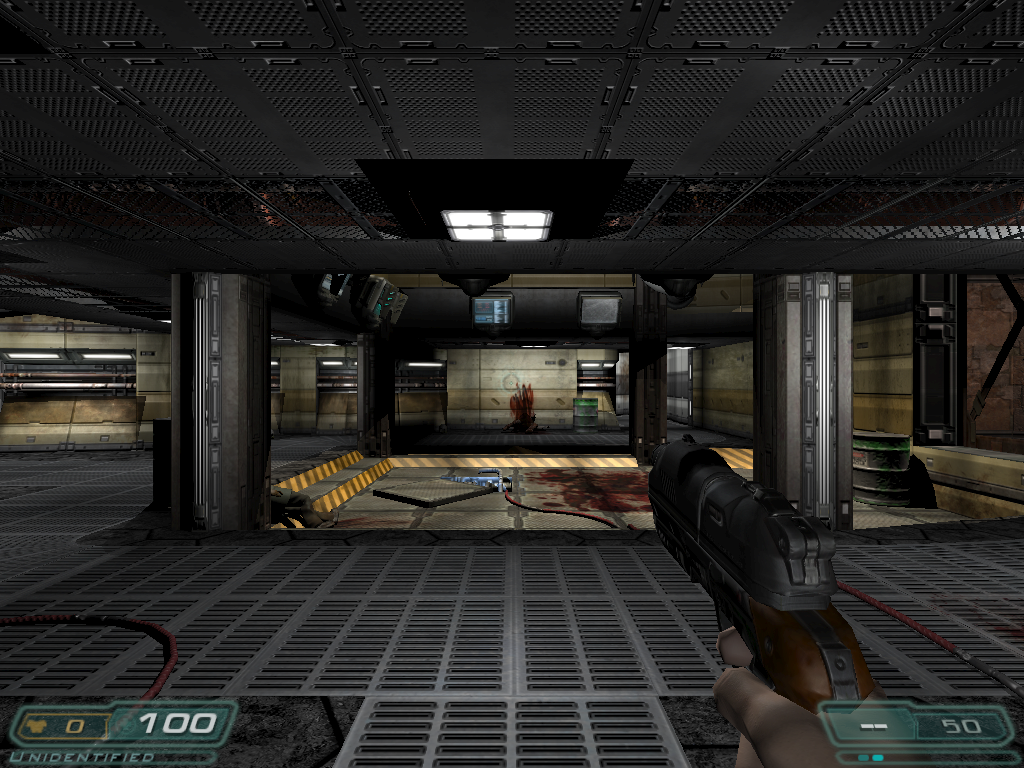
Perusing the source code of id-Tech 4, the engine responsible for creating the legendary title, Doom 3, I found it interesting the way the game was structured and the routes and conventions the developers decided to go with when putting the engine together. Delving further into the topic, I stumbled upon a rather interesting talk on the Postmortem of Doom seventeen years after the game was released. The talk was both informative and funny (as game developers often are). The following blog is a summary outlining some of the key points of the talk that I found particularly fun to discuss among the general public. And of course, if you haven't played Doom yet, GO! Seriously, why are you still reading this? Go play it. Now. Please? 

The information on this blog was a result of the viewing of John Romero and Tom Hall's talk on Doom's Post-Mortem at GDC 2011 and can be found here


In the Beginning


In 1991, Id Software was composed of four individuals, artist Adrian Carmack, programmers John Carmack and John Romero, as well as game designer Tom Hall. Towards the end of 1991, Steve Jobs came out with something called a 'NeXT' computer which peaked the interest of the team at id. After an $11,000 investment on the NeXT computer, id went on to develop Wolfenstein 3D for DOS, using the NeXT Cube for the game's hint manual. They were asked to port the game over to the Super Nintendo and so the had a developer come in and work on this while the team continues pursuing other titles. 

After a series of FPS games (Hovertank One, Catacombs 3D, Walfenstein 3D, Spear of Destinywith which the team had plenty of time to experiment with textures and tools of the trade, id decides to try something different with Doom - but we all know that's not really true at all. After brainstorming ideas for Doom and after a lot of Dungeons and Dragons, the guys at id decided to make a game with demons and by the end of November Tom Hall had already created a Doom Bible. The Bible was meant to be more of a design document for the game, outlining where all the levels were, the nomenclature, the tools, the progressions one goes through, etc. Hall was interested in pursuing a level-by-level progression through the game to give the player checkpoints where they could feel a sense of accomplishment upon completion of a rather difficult level. At the same time, John Carmack was beginning to think about the tech involved in the production of such a game. He began by laying down some of the data structures and upon stepping back and taking a look at the system as a whole wanted the game to appear as a singular giant world. At this point, the team begins projecting their memory usage for a project this big soon realizing that their scope was far too large to begin with. After weeks upon weeks of intricate design, Hall is told that there's no way for them to be able to fit all his designs within the final game. There just wasn't enough memory (only about a megabyte allowed). It was quite apparent that as a programmer, Carmack was trying to get the latest technology out on the market with Doom while Hall was trying to give the game the best and most innovative design causing both members to clash heads. 


Coming together


During the production of Doom, there was never a time when the guys at id would draw something, think about where to go with it and then decide whether or not to put it in the game. Once an asset was drawn, once an idea was put on paper, it was definitely going in the game. By January 1993, the technology and the art was in the works and feeling quite confident with their abilities, the team decides to put out a Press Release stating their hopes and aspirations for the game as well as the main features they intended on having (three or four of these didn't even make it into the game). Adrian Carmack , the studio's artist, modeled figures in clay and then put them in front of a camera that would read the model and represent it pixel by pixel. Unfortunately the lights placed on the clay figures would cause them to melt making this method inefficient. 

Id had the engine itself up and running relatively quickly and took some screenshots and alphas of the original stages of development. While Hall attempted to mimic military building designs for levels, Carmack tried to stress optimization and making the game run as smooth and as fast as possible. Due to Carmack's concerns with every environment's polygon count, Hall had to get back to the drawing board and design orthogonal and occlusive shapes. Hall ended up making a bunch of levels composed of blocks which weren't much more than corridors with rooms to go into. Around this time they were also experimenting with the U.I., shooting designs back in forth between Hall and Adrian Carmack (the designer and the artist). The team actually went out and bought toy guns and held them in front of the camera to model their final designs behind. 


Doom - Evil Unleashed was the first pre-alpha release of the game using the data structures Carmack had come up with and all the current designs implemented for testing purposes. With their initial designs, the team realized that the player wasn't getting much of a good view due to too much UI "crap" as they call it. Luckily the game was at a stage where if things didn't work too well, they could afford to just take it out. 

In March of the same year, 20th Century Fox contacted the team at id and offered them the license to Aliens in order to produce a game based on the movie. Although the entire team were big fans of the movie, they decided to turn the offer down in exchange for continuing to run with their original idea for Doom

Work continued on as scheduled and now Romero was attempting to make the levels feel a little bit more realistic and recognizable experimenting with contrasts in room height and lighting.   


Disaster strikes and Doom continues


Remember earlier when I told you that someone tasked id to port Wolfenstein 3D to the Super Nintendo? Do you remember when I said that they had a guy working on it? Well that guy didn't manage to finish on time and Imagineer (the company that requested the port) was not pleased at all. It had been nine months since they had been in contact with Imagineer and when asked about the status of the port, id realized that they couldn't get a hold of the guy working on it and would have to halt production of Doom to fix this problem. In the end, they managed to push the final game out in an amazing three weeks. 

Once Doom resumed production, something truly great took place. After a recursion problem with receding stairs, John Carmack noticed that the game was beginning to look really good and instead of asking Hall to fix the design, he took it upon himself to solve the problem so that the aesthetics could live on. The resolve of this problem eventually lead to the BSP Tree (based on the idea by Bruce Nailer) which helped with helped cull out non-visible sectors inside of a level. 
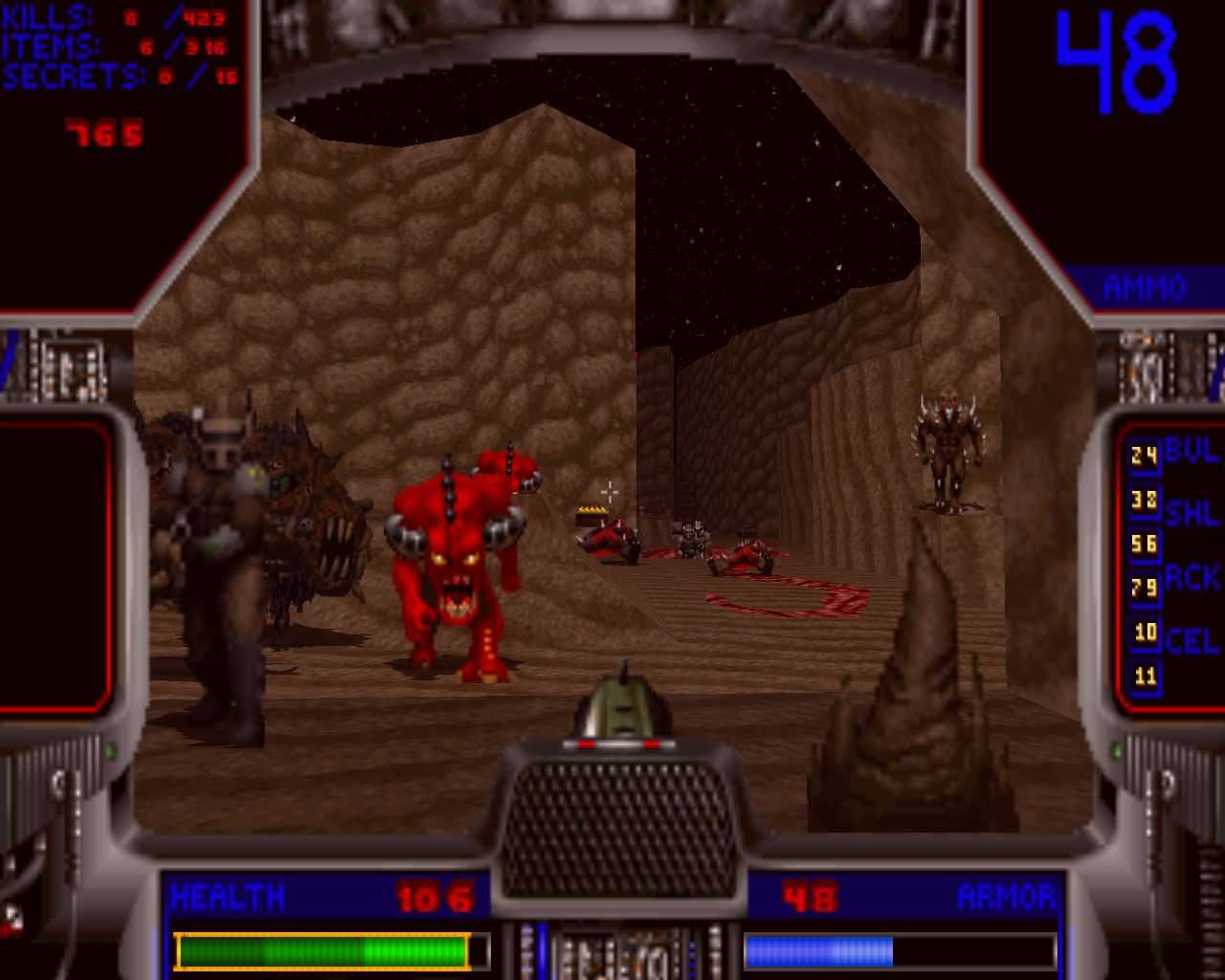


On April 2nd, 1993 id felt confident that they had reached what felt like an Alpha milestone in Doom's production and so made the decision to release the game in its current stage to Beta testers. In May, the team released another Pre-Beta build of the game which featured a lot more textures, a better UI, a menu system, skill levels and monsters of varying difficulties. In addition to this, the game run a lot smoother and started looking more and more like the end product. 

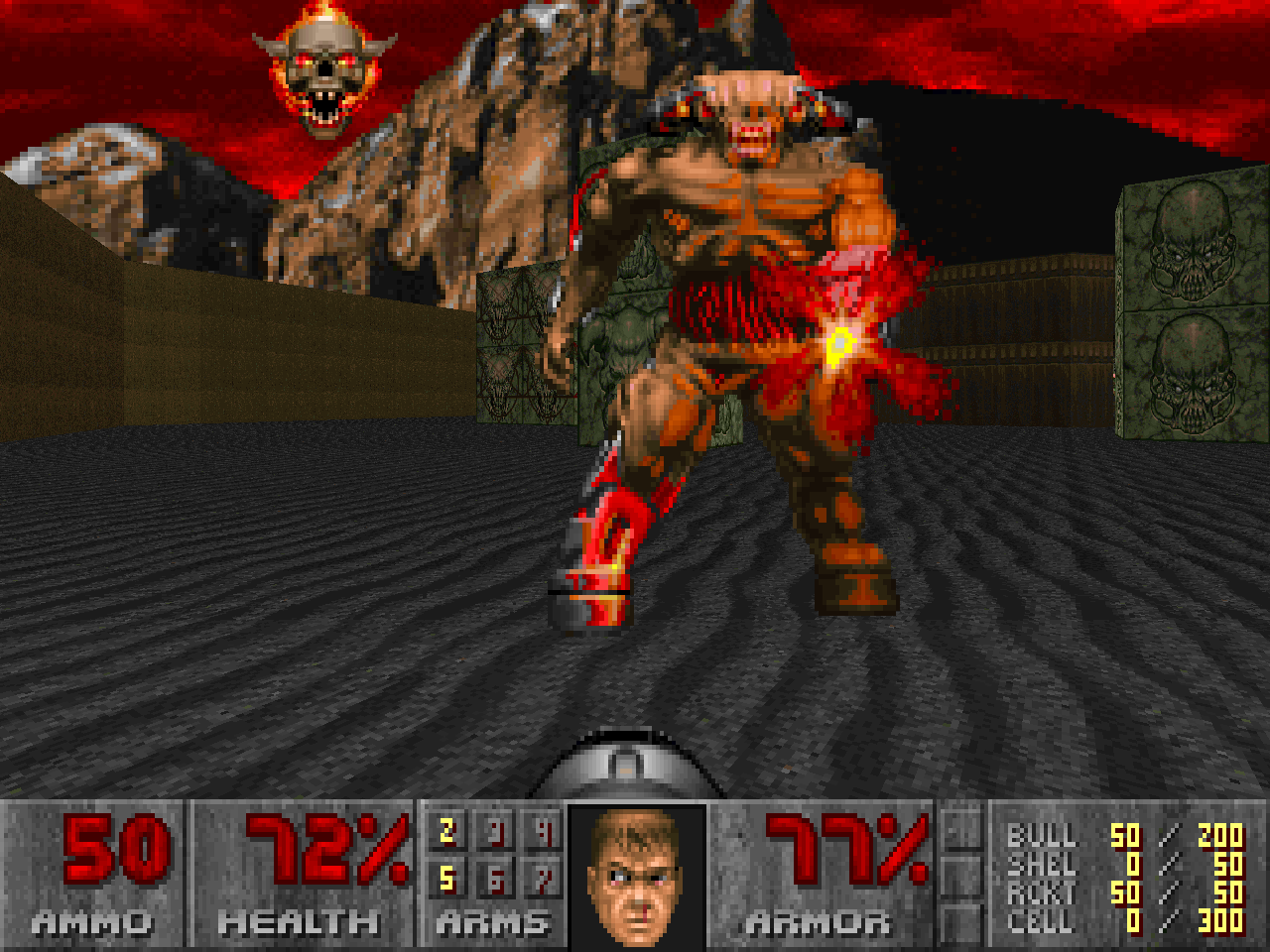
In June, Computer Gaming World (a very popular magazine) did a preview of Doom right in the middle of development. By July, Doom had a lot of variety in monsters thanks to Hall fighting to have constant surprises for the player in terms of enemy types. Despite this win, Hall felt he was being restricted creatively and that his designs were constantly being shot down in pursuit of a faster-paced shooting game. In August of 1993, Tom Hall decides to leave id and goes to Apogee where he works on Wolfenstein II for a bit before creating Rise of the Triad and Prey. At the end of the day, this worked out best for everyone on the team since Hall was happily able to release his creative juices while Romero and Carmack could go back to doing awesome stuff with Doom on the programming and optimization side of things. Neither side was weighing down the other anymore. 


The Final Stretch

After Hall departed from id, the team hired a couple of developers (Dave Taylor and Sandy Peterson) to help with finishing the game on time. Into September the team was making good progress on the automap in addition to pumping out tons of levels and adding DMX sound drivers. In October, a pre-release is revealed two months from release with a lot more textures, a better-looking UI, way better lighting and just overall playable environments that worked well with the theme of Doom. Players could pick up items and the game would keep track of them. At the time, Romero considered the game pretty new school and so decided to avoid the arcade tactic of setting a player back to the start once all their lives were depleted. Instead, he had the player reset to the beginning of the level upon dying as well as a save feature which allowed players to save at any point during the game, down to the second giving way to a high probability of players actually getting to the end of the game and beating it. The next step seemed to be the final game. 

November comes around and the first IPX multiplayer was created as was Deathmatch, co-op mode, the game's final systems, intermissions, menus, installation, text files and serial code for modems. All the game maps were also modified for Deathmatch and co-op play. The development team was spending more and more time at the office putting tons of polish on the game while hype steadily grew thanks to fans in eager anticipation of a game that had been in production for a year now. 

In the final stretch the team pulled a 30 hour no-sleep work session where everyone would be running the game on every machine looking for last-minute bugs. A bug concerning the timers the game had implemented arose but luckily the team had so much experience with the engine and tech at this point that fixing it didn't take all that long. Finally the game was uploaded to the University of Wisconsin's FTP server essentially crashing the entire server and preventing anyone from logging on to download the game while the entire file was being uploaded.

And the rest is history ladies and gentlemen...
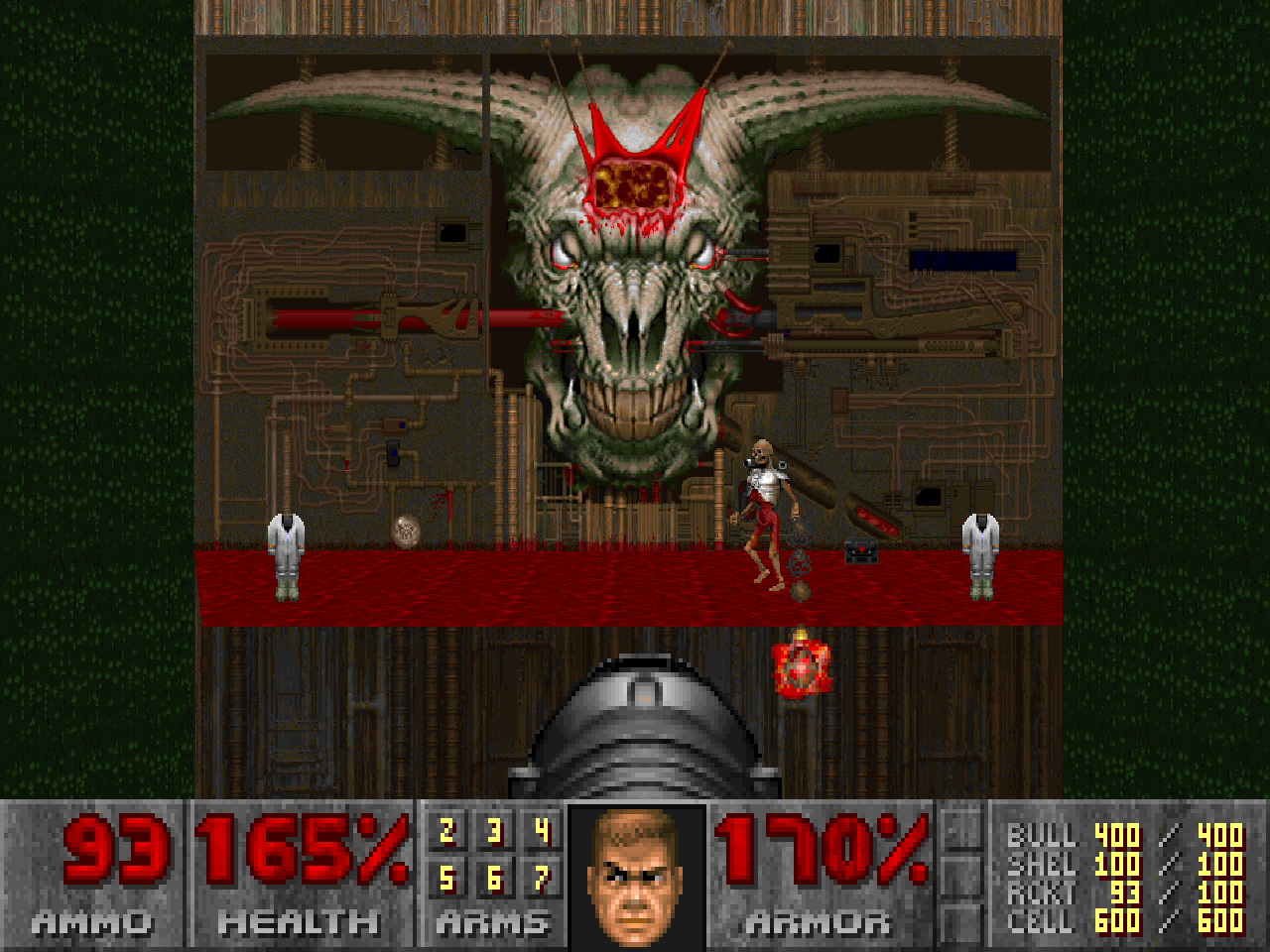


In Conclusion


As Game Developers, we stand to learn a lot from id's experience with creating Doom. There were conflicts, setbacks and technical difficulties but what remained constant was the team's strong belief in the game and where it would go. They also believed in each other's abilities and everyone pushed to put the best of themselves into the game. I think we can all agree that the game industry is grateful for the efforts of the team at id in producing a beautiful and well-functioning title that is still held in high regard within the hearts of Game Developers everywhere. 


Thursday, September 19, 2013

The Source Engine...


The only Source of knowledge is experience

In 2004, the VALVE Corporation came out with a game engine that changed everything. The Source Engine was not only famous for its notable technology but also for the several popular titles that resulted from its design. With Counter Strike, Half-Life 2, Team Fortress and Portal among many more award-winning developments under their belt, Valve knew that the original Source Engine was just the beginning of a powerful legacy that would set standards for game engine design everywhere. 

This blog focuses on the Valve Corporation's Source Engine, some of it's more popular design elements, how it began, where it is now and what's in Valve's future. Information on this blog can be traced back to the Source Engine's Licensing Information Sheet found here


More than the sum of its parts

The Source Engine debuted with Counter Strike: Source which was a remake of the popular first-person shooter which pits a team of counter-terrorists against a team of terrorists in a series of deathmatch rounds where one team is crowned victorious when an objective is met or all members of the opposing team are no longer standing. The Source Engine has never had a meaningful version numbering scheme and is instead designed in constant incremental updates. Although the engine was initially created to power first-person shooters, it was later used to create everything from RPG to RTS games. 


Technology implemented within the Source Engine includes Direct3D for rendering on PC, XBox, XBox 360 and XBox One and OpenGL for rendering on Mac, Linux and PlayStation 3. High Dynamic Range Rendering is used for post-processing while a lag-compensated client-server is used as the networking model. The physics engine is derived from Havok in addition to being network-enabled and bandwidth-efficient. Source has scalable multiprocessor support with pre-computed radiosity lighting and dynamic shadow maps. Deferred lighting is supported on consoles and the facial animation system fashions auto-generated and localizable lip-syncing. Water flow effects, a blended skeletal animation system, inverse kinematics, dynamic 3D wounds, and cloth simulation are all supported among tons of other technology. The popularity of the Source Engine may be due to its significant source code access for mod teams as well as its distributed map compiler. 

Source distantly originates from the GoldSrc engine which itself is a heavily modified version of John D. Carmack's Quake Engine. Valve's development of Source has always been a mixture of licensed middleware and in-house developed code. In fact, John Carmack himself commented that

"There are still bits of early Quake code in Half-Life 2."


Man of few words, aren't you?


For the scope of the Source Engine's design, the developers at Valve were sure able to bring some very powerful technology to life. Areas of major enhancement include their character animation, advanced A.I., real-world physics, and shader-based rendering. With all this technical prowess it's not wonder that Source offers expressive characters that convey a message without having to say a word and can be both extremely capable allies and more than worthy foes. Furthermore, these characters populate beautifully rendered and physically simulated worlds that feature water refraction, HDR lighting and projected shadows which greatly enhance Source's visual fidelity. 

With robust networking code providing support for 32-player LAN and Internet games, the Source Engine is built for multiplayer mode. and includes a complete toolset for level design, character animation, and demo creation making it a modder's paradise. The Source Engine features state-of-the-art prediction analysis for interpolating collision and hit detection. The characters provide intelligent believable player interaction with simulated musculature for outstanding emotions, speech and body language. Skeletal/bone systems are present for animation and a layered animation system synthesizes complex animations out of several pieces. The worlds created are themselves more responsive with realistic interactions, sounds and graphics following from physics. NPCs can even interact with physically simulated objects and are structured with ragdoll physics. There are kinematic animated bone followers and custom procedural physics controllers. Vehicles built using the Source Engine have wheels that slip and skid, realistic suspensions, multiple player handling and tunable horsepower, gearing, max speed, shift speed, tire material, tire friction, spring tension and dampening. 


Now let's discuss the A.I., U.I. and sound within the Source Engine. Graphical entity placement allows level designers to quickly control the interactive gaming environment and sophisticated navigation allows for characters that run, fly, jump, crouch, climb stairs and ladders, and burrow underground. The characters are able to sense things using sight, sound and smell, as well as determine relationships such as friend/foe status of other entities. Battle capabilities allow squads of A.I. characters to operate together, knowing when to advance, retreat, lay cover fire, etc. The A.I. even provides for intelligent character interaction when not in combat. 

The Source Engine supports 5.1 surround sound for 4 speakers and high-quality 3D spatialization. There is custom software DSP as well as automatic DSP based on environmental geometry. There is support for audio streaming on any wave as well as real-time wave file stitching. There are even pre-authored Doppler effect and distance variant encoded waves.

The server browser displays all active game servers and allows players to select a server to join. Players may even filter and sort server lists in order to speed up the display and selection of a server. Players may use the instant messenger to chat with each other both in and out of games in addition to joining friends in existing games. Finally, Valve's GUI (VGUI) allows for both in-game and out-of-game user interface uniformity and is both platform independent and Unicode compliant. 

All code for Valve's Source Engine is written in C/C++ using Visual Studio 7.1 making it possible to quickly and easily derive new entities from existing base classes. Included is an internal context sensitive performance monitoring system and graphics performance measurement tools. DLLs allow for swapping out of core components for easy upgrading or code replacement through modular code design. Dx9 shaders are all written in HLSL as the engine allows for HLSL shaders. 


The future of Valve

One of Valve's largest projects to date is the development of new content authoring tools for Source. These will replace the currently outdated tools allowing speed and efficiency in content production. The Valve Corporation's fan site ValveTime revealed that Valve might be in development of a "Source 2" engine. This was based on coding from the Source Filmmaker that directed technology from the upcoming version. Gabe Newell, the head of the studio, has confirmed the development of this up and coming engine but remarks that Valve is waiting for a game to roll it out with. 

Although image-based rendering technology had been in development for Half-Life 2 it was cut from the engine before the game's release but was mentioned by Newell as a piece of technology he would like to add to Source in order to implement support for much larger scenes than are possible with strictly polygonal objects. 

Gabe Newell has also mentioned that he believes Linux is the future of gaming, often hinting to a gaming box built on the open-source operating environment. Since the launch of the company's online platform, developers have created 198 game on it. He hopes that this points to a future where games will be nodes in a connected economy where the vast majority of goods and services will be created by individuals not companies. 


In Conclusion

Valve's Source Engine is a remarkable feat for a large company that is revered for their modding community. The Source Engine's popularity stems from the tools which give power back to the player allowing them to being their own creativity to life in a sandbox controlled by the Valve Corporation. Not only do they sport a strong Game Engine, the foundation for great things to come, but with AAA titles in continuous release, it is no wonder that the Source Engine receives praise for its technical merit and ingenious design.


Thursday, September 12, 2013

Guess who's back...


Engines 

Ladies and gentlemen, I've got to say it is good to be back. With thoughts to spill on a page and a course worth talking about, let's jump right in. 

Game engines are the topic of discussion so this blog is going to give a you an overview of some of the breakthrough engines created in the past decade. The ones that have set the bar and those that have created an entire community of modders - individuals who like to take the idea of making a game your own to a whole nother level. So let's begin by asking the most fundamental question, what is a game engine? 


Built not bought

A game engine is a framework of visual development tools as well as reusable software components which are provided in an integrated development environment to enable simplified and rapid development of video games in a data-driven manner. Each game engine is unique and as such no one game engine may be used to design all game  genres. There is context and precision in each engine and no two are ever alike. Back in the day, companies built their engines purely to run their games and nobody else's. Eventually, gaming companies realized that there were gamers who wanted to play around with the engines they built and along came Quake II and the Unreal Engine which provided tools for gamers to let their imaginations run wild and modify what they had built.

As engines grew in complexity and structure they were put on the market and SDKs (Software Development Kits) became available for purchase and commercial use. You may be thinking, "But you just said no game engine can be used to design all game genres." While that might be true, there is still much similarity between the mechanics and game logic of many genres and with a solid engine and a lot of tweaking, a little could go a long way. Building a game used to mean starting from scratch and re-inventing the wheel - compiling all new code. So when did this change? What changed? Who helped? 

Let's find out. 

Information found on this blog has been taken from Paul Lilly's (write for MaximumPC) article on a visual history of 3D game engines found here.


I wouldn't leave if I were you, DOS is much worse

One of the many infamous quit messages from the game that sends you on a serious guilt trip when attempting to leave. Doom was most certainly one of the most memorable and important PC games of all time. The reason for this was that Doom pushed reusable game engines as a viable programming model. The best part was that id software's Doom engine wasn't really a 3D engine at all but a very well conceived 2D sector-based engine with flat sprites representing objects, characters and anything not tied down to the map. This meant a good rendering speed for the hardware of the time which only really had to be capable of handling texture-mapped environments. 

After a time, NovaLogic came out with their Voxel Space engine, introducing the concept of a voxel (a combination of the words volumetric and pixel) which was used by several games for specific rendering of in-game items or even vehicles. Voxel was a way to represent volumetric objects as 3D bitmaps instead of as vectors. Terrain was rendered in layers making graphics more smoothly contoured and detailed. This, in turn, also provided smoother gameplay.

Build followed in the footsteps of the Doom engine with Duke Nukem 3D as far as rendering worlds on a 2D plane with sprites populating on the map went. The Build engine broke the entire world into individual sectors arranged in a grid with the ceiling and floors in each sector built at a different height. This meant that, unlike in Doom, players could now look up and down. 


Enter 3D

Let's move into the world of 3D gradually and begin with the Jedi engine. The Jedi engine was responsible for Star Wars and proved highly successful in creating 3D-like environments by allowing for areas (sectors) to be stacked. Yet, not everything was 3D with models being rendered into bitmaps form different angles in 45-degree intervals. Upto 32 angles were supported for each object which would be continually rescaled as the player got closer. 

The first truly 3D game engine was the Quake engine which had to be meticulously crafted in order to ensure that it ran smoothly without a ton of processing power. One of the neat techniques used in Quake was map purging, where an area of a map wasn't processed if the player couldn't see it. This reduced the number of polygons by at least half if not much more. Additionally, the Quake engine made use of Z-buffering, included 3D light sources and supported 3D hardware acceleration. 

Renderware is one of the more popular game engines which claims over 200 game titles on several platforms making it a multiplatform game engine. Renderware allowed developers to manipulate art and game processes in real time. That means a developer could change the paint job on a car without altering the underlying code and having to render the scene all over again. Rudimentary physics within the engine worked the same way. 

The original Quake offered hardware graphics acceleration. Along came Quake II and offered native OpenGL support and included coloured lighting effects and a new game model which allowed for both software and OpenGL renders instead of having to choose between the two. As mentioned earlier, Quake II was known for its moddability when id released their source code into the modding community in 2001 while still keeping the rest of their engine proprietary. With such a robust game engine, savvy developers were able to use it to power full-fledged role-playing games with additional features.


The Unreal engine was the main competitor to Quake II and also happened to become a popular engine in the modding community. UnrealScript was the engine's very own scripting language which was bundled with the game along with a map editor and UnrealEd (a modification program). Software and hardware rendering were both present in the Unreal engine amongst collision detection, colored lighting and rudimentary texture filtering. 


In Conclusion

With the gaming technology on the rise, there is room for a lot of growth in the game engine territory. There is so much we have yet to see and so much we have to build on. Continuing innovation gives us hope for games to grow closer and closer to reality. We look back at all the engines that have preceded our time and we admire the ingenuity of developers back then. But we also use their design patterns, their ideas and their motivation to build better and more efficient engines that will power the games of tomorrow.

It's good to be back.


Friday, April 12, 2013

In Retrospect...


So here we are...

At the end of another semester and at the precipice of another learning curve, I find myself reflecting back on the lessons I've learned about Intermediate Graphics, where they're headed in the industry and what purpose they serve in the real world. While this course has taken me through the ins and outs of the OpenGL Graphics Pipeline, how it's used and what we can do with it, I found that I have learned so much more from pouring my mind out and opening up to let the world in on my manner of thinking and the way I choose to express myself. For me, these blogs have been more than just another grade for a passing mark. They've been an exploration of a world I would have never known existed had I not dared to step into it. They have been an avenue for me to speak my mind and share my opinions and more than ever they've been a way for me to study topics I thought far beyond my scope of understanding. Over the past few months I've touched on a lot of important developments in graphic technologies. From game engines to lighting in real-time, from global illumination to Screen Space Ambient Occlusion. And what have I gained putting hours of my life into these blogs if not an insight into a world of graphical prowess that has amazed and kept me wanting more.


Shaders

What started out as a simple way to tell the world about graphical implementations I've been making for homework assignments soon become a deeper discovery of the nature of shading techniques and how they can be used efficiently and effectively to produce stunning and captivating visual feats that push the boundaries of current-generation consoles and make it possible to replace flaws with beautiful graphic effects.

So what is a shader? Let's go back to the basics. A shader is any program that is part of the graphics pipeline and is capable of communicating with a computer's GPU (Graphical Processing Unit). The two primary shaders I focus on in most of blog posts are the Vertex and Fragment shaders. Of course, there are about four or five different types of shaders, but those are beyond the scope of this course (although very cool to play around with and implement). The vertex shader handles the position of all vertices travelling through the pipeline. The job of the vertex shader is mainly to bring vertices form objects space to screen space using the ModelViewProjection matrix which quite basically allows the viewer to perceive the vertices in a reasonable are within their computer screens. These are then passed on with properties such as texture coordinates and colours to the fragment shader where the real magic happens. 

The fragment shader is in charge of accepting fragments from the rasterizer and compiling them into complete primitives on screen using pixels in the frameBuffer as well as interpolation between the vertex colours. The idea behind fragment shaders is not to simply produce the same pixel colour set for the vertex upon entering the shader. Instead, the fragment shader is most commonly used in combination with VBOs (Vertex Buffer Objects), VAOs (Vertex Array Objects), and FBOs (Frame Buffer Objects) to effectively create all kinds of neat graphical effects from motion blur to depth of field and everything in between. 


For really interesting graphic techniques such as bloom or shadow mapping multiple passes will afford you information to store on FBOs - this may be depth or a colour texture. The way you make use of your Frame Buffer Objects is ultimately upto you. Possibly one of the most important lessons and the biggest take away from the course is that once you have a solid framework set up, shaders are all about math and figuring out how to mathematically compute certain attributes based on light, position and colour information. After that, it's all about playing around with parameters, clamps and ranges in order to get your desired effect. 

Although there has never been any set-in-stone ways for using a shader, they are typically used to either make things more realistic or far more unrealistic. This returns to the same  discussion visited and re-visited countless times on my blog. Are post-processing effects a good thing or a bad thing? Do they add to the realism of a game or take away from it? Do they aid gameplay or heavily distract the player from their objective? Well, truth be told the answer is always the same. MODERATION. Shader effects are a terrific way of graphically simulating real-time physics in object interaction and the way light behaves relative to a material's properties. On the other hand, effect like colour grading, toon shading and bloom can be seen as flashy, unnecessary and annoying when used excessively or in the wrong context. Balance is always key when exploiting powerful technology and there must always be a fine line game developers should be weary not to cross for the sake of boasting superior graphical achievements which put them ahead of competitors. 


Frameworks

Oh for the glory of these nifty little programmable devices which aid heavily in the creation of an interactive environment with support for external classes - from shaders to FBOs. Over the course of this semester I have learned to appreciate the role frameworks play in the everyday world of intermediate graphics. A good framework is a versatile one which may be adapted or even built upon to improve the structure to better suit your current needs. In the simplest of terms, a framework is a foundation of support for attempting various graphical techniques as well as debugging should problems arise in your game engine. I have always wished that we had a formal class or tutorial session where we were specifically taught to build frameworks and use them for our shaders throughout the year. This would have been not only helpful but would have opened up a world of exploration for us earlier on in the semester. With that said, I do believe that Frameworks are done best when they are made to suit your needs and your needs alone. You are going to be the end user so you'd better make sure you're comfortable with what your framework supports and what it doesn't. 

In retrospect, the process of building your very own framework helps one understand the structure and processes involved with graphical effect implementations and using shaders, FBOs, VBOs and the lot. Additionally, the more time you spend on your framework, the more you understand it inside out and the more you begin to perceive the reward of generalizing your code to fit your needs and staying away from hard-coding in any context. 


A framework allows you control of your shader implementations and in essence makes you an expert at understanding the graphical pipeline. This is important because a lot of the user-friendly functionality is working towards being deprecated in favor of functionality that puts far more control in the hands of users. If it isn't all that clear as of yet, I'm talking about the move from 'GLSL #version 120' to 'GLSL #verison 330 core'. Here users are allowed to create their own matrices to be used in vertex and fragment shaders and are, in a sense, made to comprehend the reason the processes work the way they do. 

Toggles are always a good idea when it comes to frameworks and are encouraged in lieu of the importance of testing parameter and thresholds. Many game engines, in fact, begin as framework and develop as functionality is gradually added over time. As a foundation, with frameworks, there's nowhere to build but up. 


Game Engines

I have picked up some real jewels of wisdom over these past few months when it comes to game engines and their development. One of the first and most important lessons I've learnt is that a good game engine can take several years to build. It is about dedication and a willingness to put effort into making your engine more accessible for other people to use. This will not only help you delegate work in a team environment but will make it easier for you to build off of your code in later years. A good game engine is like a good framework, a sturdy foundation upon which to develop efficient coding practices. 


Taking a loser look at game engines over the course of the blogs I've written in the past few months, I have learned a lot about how game engines come to be conceived and the sheer manpower it takes to build them. An important lesson in building game engines is to make the lives of your fellow developers as easy as possible. Giver artists more control and they will reward you with the beauty you want to see in-game. In my personal experience, I have picked up more than a few tips here and there in regards to building game engines. For starters, nothing should ever be hard-coded. If it takes up more than ten lines then find a function or a class for it. Generalize your classes and structs as much as possible and don't ever code for the possibility of a single scenario - have a contingency plan for every possible outcome. 

Another important lesson which comes with experienced coding is the notion of planning before the code is written. It is always important to analyze what you need, why you need it and what your plan of implementation is. By writing out your designs on paper and running through the obvious and not-so-obvious logical errors, you will save a lot of time debugging. It is also crucial to remember, as briefly mentioned earlier, programming a game engine is very difficult work. You must always aim to start ahead of time in addition to being determined to keep at it until all the kinks have been worked out. Always keep your code clean, commented and readable with formatting good enough for your mother to understand. 


In Conclusion

I have got to say that I haven't had more fun doing homework then when I do hoguework. It's not only about getting the work done. It's about going out there, finding what the web has to aid you and then attempting to figure out what it all means. The tutorials were brilliant and really helped introduce me to the world of shading. Eventually I began coding  shaders myself and after the initial rough start with FBOs I grew into a natural groove and couldn't stop with so much to experiment with and tons of shaders to try out. 

I have learnt a lot in the past few months and have enjoyed sharing my experience with the world and the worldwide web. With over 1000 views, I guess they seemed to like it too!

Wednesday, April 3, 2013

Lighting & materials for real-time game engines...


Complex rendering

Ever since the dawn of Programmable Pipelines the aim of the gaming industry has been to implement real-time rendering techniques for complex materials. Games have strived to make lighting, reflections and material displays as feasible as possible on real-time game engines. We can talk all day about pre-rendered cutscenes and how gorgeous they look, but the real test is what we can do with lighting in-game. The following blog investigates methods used to adapt and simplify complex skin rendering models to fit current game engines. 

Information on this blog is credited to and referenced from Tobias Kruseborn's Master's Thesis on 'Lighting and materials for real-time game engines,' at the School of Computer Science and Engineering Royal Institute of Technology in the year 2009. A link to his thesis can be found here.

The theories and applications in this blog will be quite involved and detail-oriented. It is important to keep this mind in going forth. With that said, as always, I will try to make it as fun as possible - Enjoy the blog! 


Introduction

While the aim of this blog is to examine the implementation of advanced real-time rendering techniques for complex materials such as human skin, it includes determining whether spherical harmonics and Wavelets may be used to represent both diffuse and specular reflection for environmental lighting in a real-time game engine. 

The problem being addressed here is how to lighten materials with several layers in a physically correct manner as well as in real-time. To begin to understand the goals in mind behind this exploration let's take a look at NVIDIA's Doug Jones demo which attempted to realistically model the actor's head in real-time. 


The preceding demo sets a very clear standard for high quality shading in real-time. However, it is important to consider that "real-time" for a tech demo is much different from being fast enough to use in a game which is where most people would need to use this technology. Think about the fact that this demo fully taxes the processor of a high-end graphics card whereas most games run on much less powerful consoles. Commercial games must further render entire worlds which leaves a small fraction for skin shading. 

Now let's talk about theory.


Diffuse and specular reflection

Specular light on human skin is admittedly easier to represent than the diffuse reflection. This is based on the fact that specular light reflects directly and isn't absorbed into the surface. This specular light only reflects 6% of the entire light spectrum this is because the ole layer of the skin doesn't give out a mirror-like reflection due to roughness. The Blinn-Phong model leads to an incorrect estimate since it outputs more power than it receives and further fails to capture increased specularity on grazing angles. The use of a more precise physical base reflection factor model can improve this quality in exchange for a few more Shader instructions. 


Representing diffuse reflection is much more fundamentally difficult due to the fact that in order to calculate diffuse of one area on the skin, we would need to know the incoming light intensity of nearby points. So, we use a diffuse profile which provides an approximation for the manner in which light scatters underneath the surface of a highly scattering translucent material. When rendering materials by applying a diffuse profile, all incoming light converges at the surface before dispersing to create the exact shape of the profile. Luckily, the problem of finding a scattering dipole is almost solved. The dipole curve plotted for the diffuse profile can be approximated by summarizing a number of Gaussian functions. 

To implement this, we convert the diffuse illumination of geometry to a light map several times with Gaussian blur and then combine them together. We can then perform the Gaussian convolution. 


By carefully choosing a sampling pattern, we can then represent each Guassian blur with a 12 jitter sample. The first selection represent the incoming and outgoing light directly and the following six samples corresponds to middle-level scattering. The last six samples represent the high-level scattering and are mainly used for red light. The result is a variety of blurs for each channel which can be done on a single pass. 


Modified translucent shadow maps

In texture-space diffusion, some regions that are near one another in Euclidean space can be far apart in texture space. For example, ears and noses may not take into consideration transmitters from both sides causing scattering to only be observed in the part that is targeted tot he light. A translucent shadow map (TSM) makes depth, irradiance and the surface normal to store these quantities on the surface to the light at each pixel in the texture.  At run-time, each surface is in shadow so we can study the textur to find the distance to the object from the light and access the convolved version of irradiance of the light surface.


Environment lighting

The goal behind environmental lighting is to be able to represent both diffuse and specular reflection from an environment map in real-time. In representing alight with an environment map, all texels become a light source - we need to integrate light from all directions. This is not trivial to do and it is important to keep in mind that specular reflection is also view-dependent. 

The median cut algorithm effectively converts an HDR light probe image to a set of light sources by dividing a light sensor image into a number of regions followed by the process of creating a light source corresponding to direction, size, color and intensity of the total incoming light in each region. With the help of a summed area table, we find the longitude, latitude n in a picture with the highest intensity through a binary search per region in n iterations. This is the quickest and most accurate way to find areas with the same intensity. The final algorithm successfully represents complex environment lighting with a few point lights. 


Spherical Harmonics (SH) is the angular portion of the solution to the Laplace equation in spherical coordinates. The SH basis is an orthogonal function on the surface of a sphere. It is similar to the canonical basis of R3, but differs in the sense that each of the SH coefficients do not correspond to a single direction, but to values of an entire function over the whole sphere. SH basis functions are small pieces of a signal that can be united to an approximation of the original signal. To create an approximation signal using the SH basis, we must have a scalar value for each base that represents how the original function is similar to the basis function. 

There are 3 components to an SH basis. Diffuse, area specular and analytical specular. We must first separate the material into diffuse parts and low and high frequency glossy parts. We then use an SH irradiance environment map for diffuse reflection and a new area specular model for low frequency gloss. Finally, the Bidirectional Reflectance Distribution Function (BRDF) is evaluated directly with point lights for high frequency. 


Spherical harmonics are good for representing low frequency light, but not high frequency light. Wavelets can capture both low and high frequency light in a compact manner. Wavelets are a set of non-linear bases. When projecting a function in terms of wavelets, the wavelet basis functions are chosen according to the functions being approximated. 

Some waves are small and can represent just a pixel while other bigger waves can capture light from the whole environment. This way, we can represent an environment map with only a few wavelet coefficients. Some will represent just a pixel in an environment while other will represent frequencies over the whole surrounding. The Haar wavelet lies in the planar domain and leads to distortion when used for functions in other domains, but the Soho wavelet lies in the spherical domain so these are used more often. 


The following is the rendering of environment lighting with diffuse and specular relfection along with Soho wavelets. From (a) to (e) the number of lights in the scene are 8, 16, 32, 256 and 512. 


Final Algorithm

Combining all the methods and techniques previously discussed, the final algorithm used in skin rendering looks something like this:

  • Use the median cut algorithm to get our light source positions.
  • Convert the diffuse light from an environment map to spherical harmonics.
  • Do this for each light.
  • Render a shadow map and apply Gaussian blur filter to it. 
  • Render the shadows and the diffuse light to a light map. 
  • Apply Separable Subsurface Scattering (SSS) to the light map. 
  • Apply SSS for translucency.
  •  Read the diffuse light and shadow from the light map.
  • Add the rest of the mesh texture to the diffuse light.
  • Calculate the specular light from the same positions as the shadows.
  • Combine the specular and diffuse light to a final color. 


At the end of the day, here are the kind of results we're looking at with the Kelemen-Szmirnay-Kalos model on the left versus the Phong model on the right:


In conclusion

Some noted observation based on the result of the skin rendering algorithms mentioned in the this blog include the fact that diffuse reflections make the skin look more natural and the method implemented is ten times faster that the Doug Jones demo. The method can be used in real-time game engines, especially for cutscenes. In terms of specular reflection, the Kelemen-Szmirnay-Kalos model gave better results and made the specular reflection look more realistic than when using the Phong model. It was also able to catch reflections at grazing angles. Translucent shadow mapping yielded unsatisfying results when implemented with a jitter kernel and if the results were to be compare to the extra cost of computing the TSM, the conclusion would be that the modified TSM is not worth using in game engines. 

Shadows were distinctly improved when applying a Gaussian shadow map filter instead of using a uniform shadow map filter. The combination of Gaussian shadow maps and subsurface scattering provided soft shadows without artifacts. The median cut algorithm can be used for many purposes and was very accurate and helpful since it could be used as positions for shadow maps and point specular reflections. The approximation method for Soho wavelets is quite expensive, but it can be run in real-time with the light coming from a whole environment map. Finally, representing the BRDF model in spherical harmonics was seen to be an efficient and low storage technique for environment lighting. 

After having explored the rich and vast world of lighting and materials, it is plain to see that with a few clever techniques and algorithms we can quite easily represent realistic light in real-time game engines. It is a fascinating process and one not to be taken for granted. I hope all the theory in this blog has not put you off from trying it yourself. I would advise you to read Mr. Kruseborn's paper for a much more detailed explanation of the algorithms and techniques before you dive right into real-time lighting. 

We are on the precipice of creating games that look like movies, it is time to take the leap.